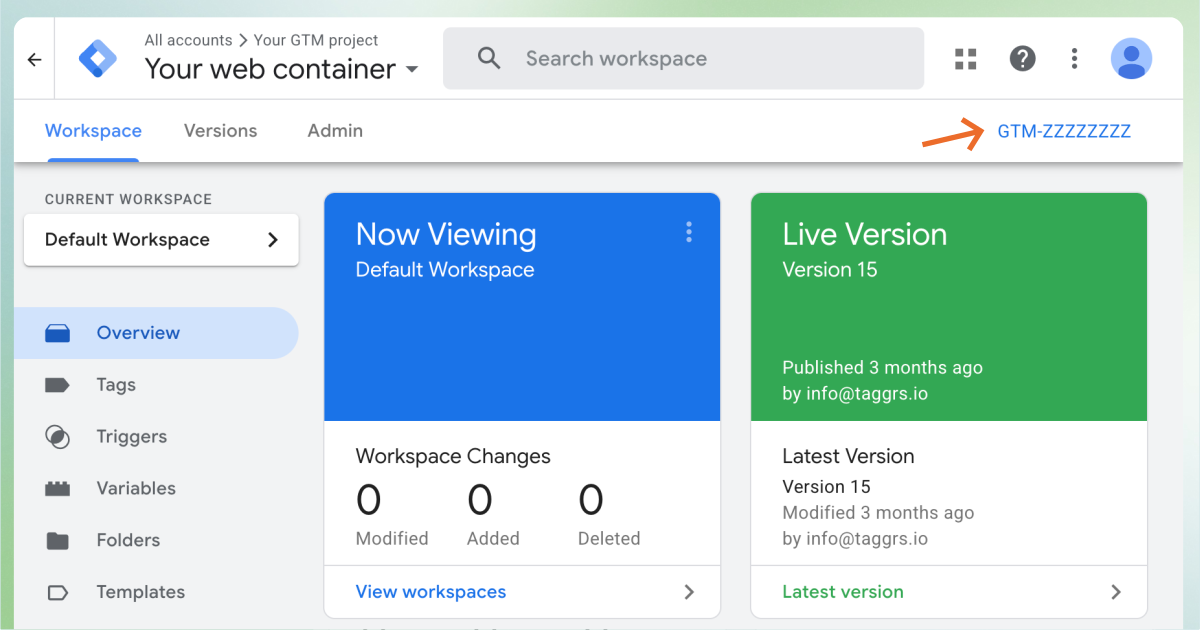
<head> and <body> codeGTM-00000000)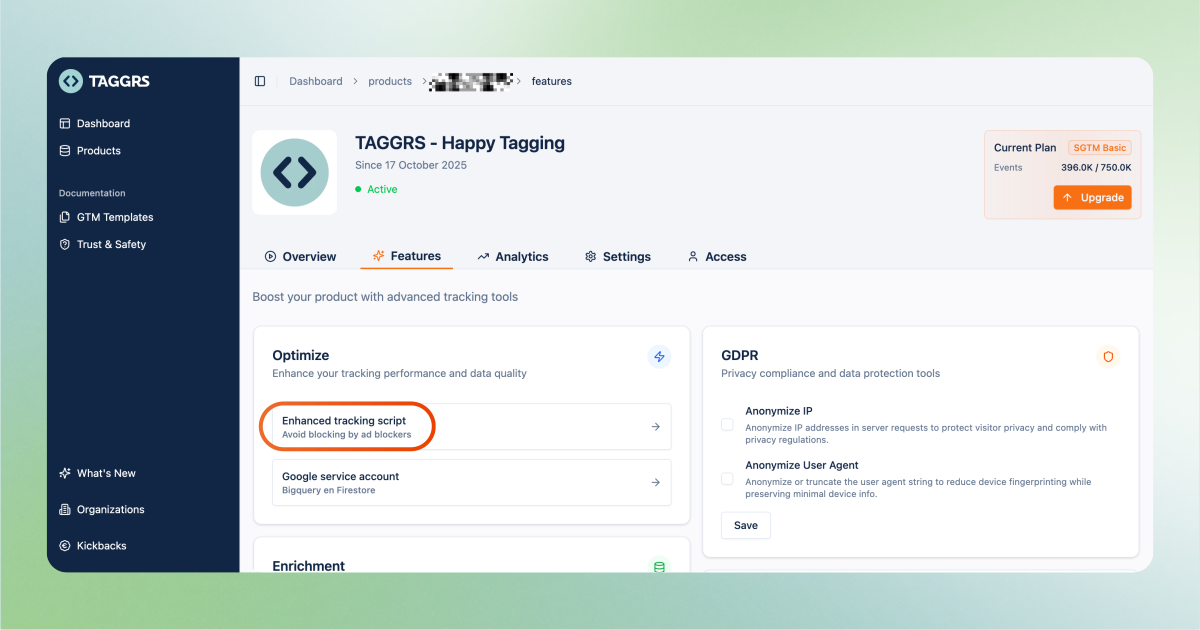
GTM-00000000).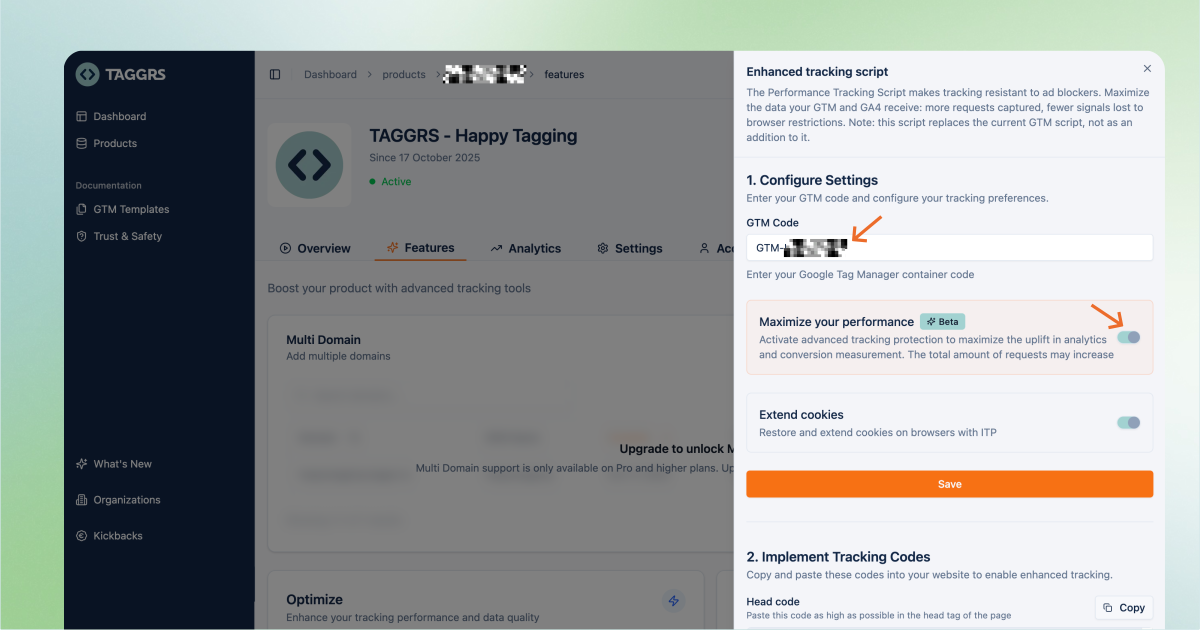
<head> tag of your website.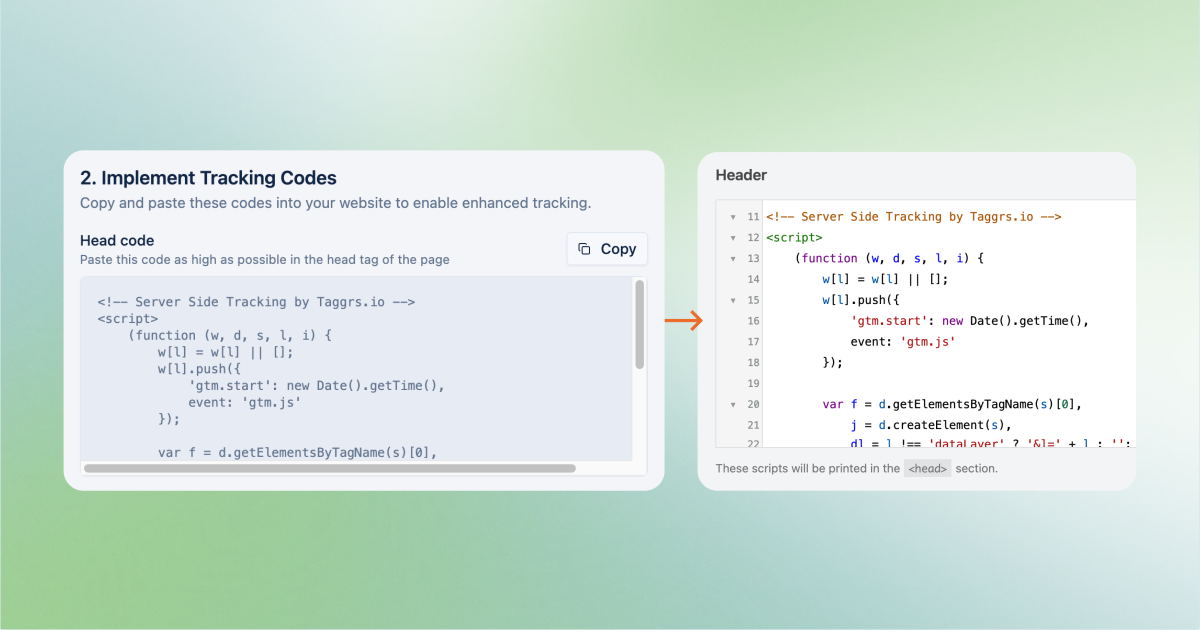
<body> tag of your website.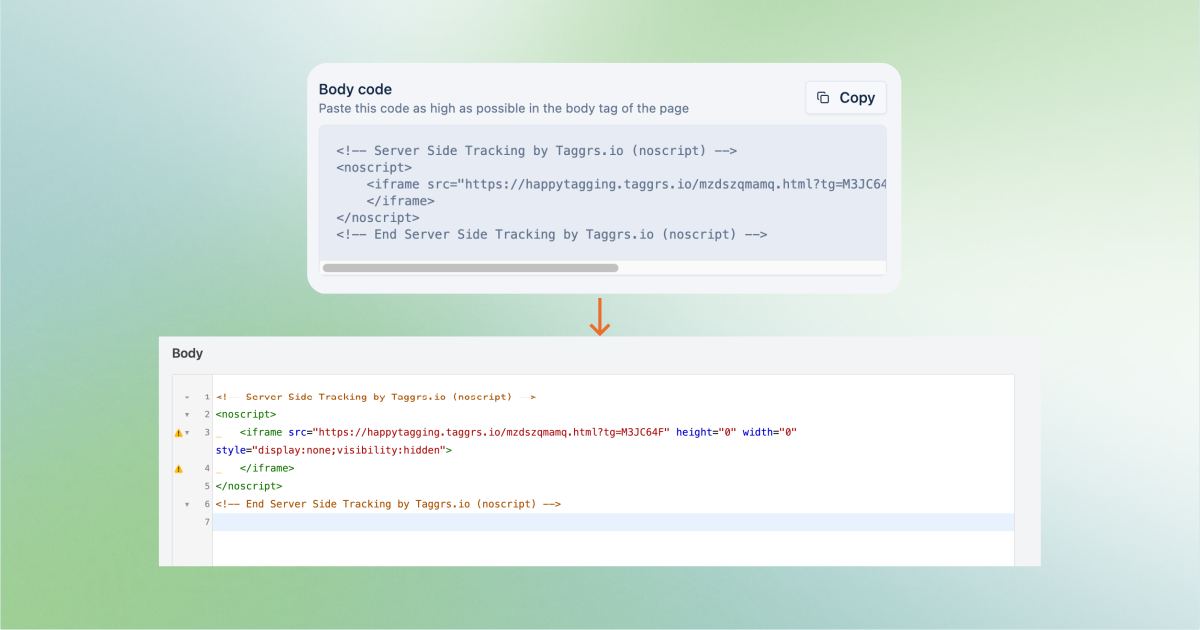
GET https://pagead2.googlesyndication.com/
dfp.min.jsdfp.min.js, a known ad-serving resource, to detect whether the visitor has an ad blocker active.You can identify requests generated by the TAGGRS script in your request graph in the analytics dashboard. Events originating from the script are labelled Enhanced, so you can see which portion of your tracked data comes from enhanced tracking.
.png)
The uplift is visible in your Additional Data graph. This graph highlights the increase in tracked events, so it's easy to assess the impact of the Enhanced Tracking Script.
After upgrading to or enabling the Enhanced Tracking Script you may notice an increase in the number of requests registered in your TAGGRS dashboard. This is expected and intentional.
The Enhanced Tracking Script V3 processes events in a more advanced way to stay resilient against ad blockers and ensure accurate data collection. Unlike standard scripts, each event goes through multiple processing steps to unmask and route it correctly: this multi-step handling places extra load on the TAGGRS systems compared to a traditional setup. As a result, each session generates more requests in your dashboard than you may have seen with the standard GTM script or previous ETS versions (V1 and V2). What does it all mean in practice?